
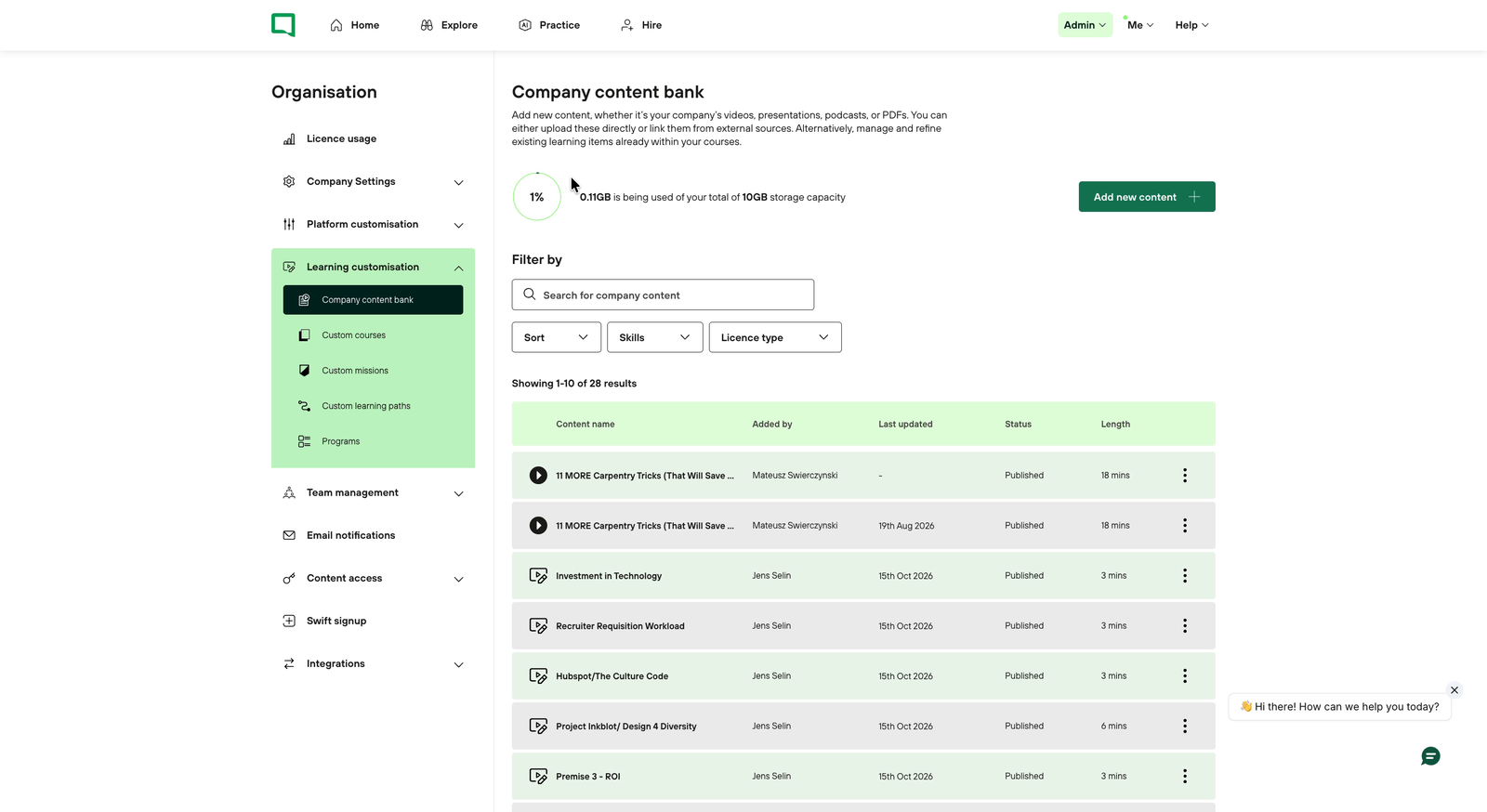
From 3 November 2026, all custom learning lives in one place: Admin → Organisation → Learning customisation. The Content option in the Admin menu has been replaced. Only company admins can open it.
Open the builder
-
Click Admin in the top navigation bar.
-
Select Organisation.
-
In the left-hand menu, click Learning customisation to expand it.
-
Choose one of the five tabs.
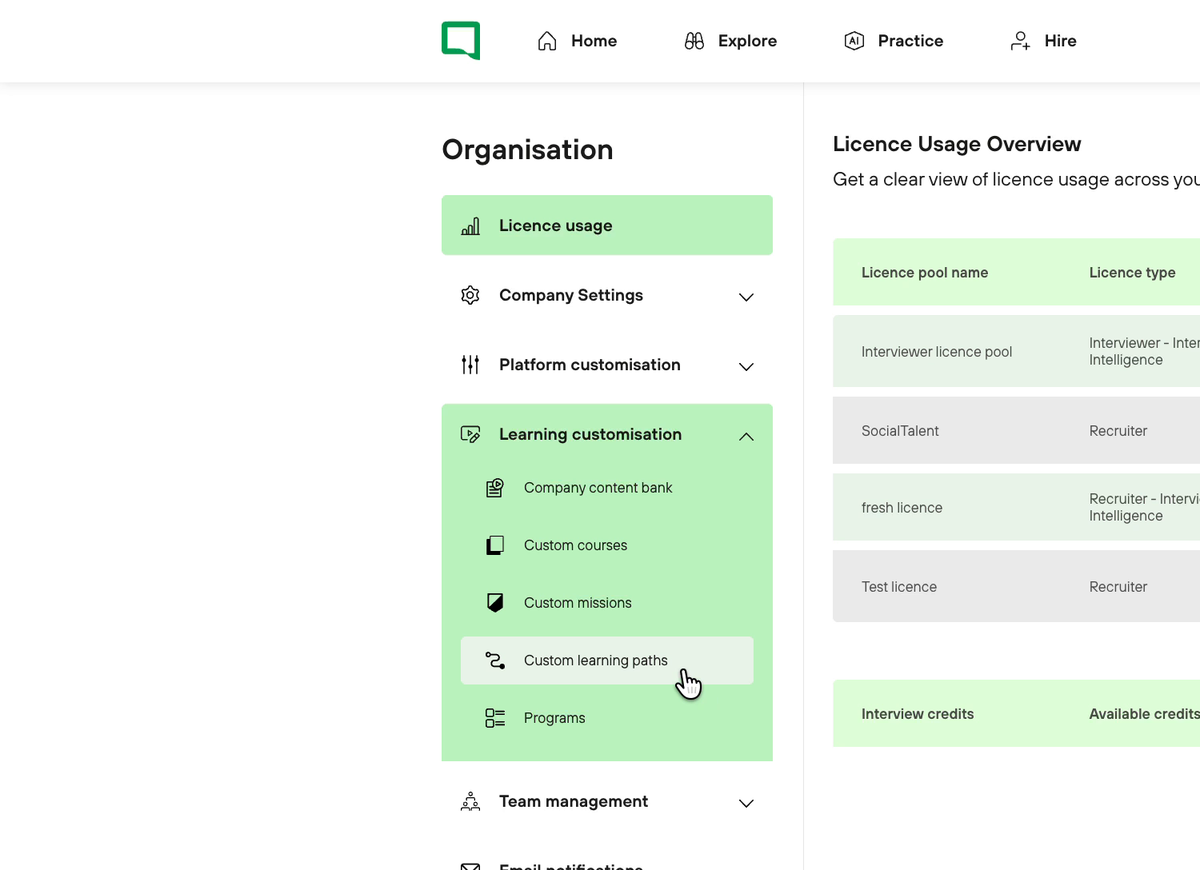
The five tabs
|
Tab |
What it holds |
Built from |
|---|---|---|
|
Company content bank |
Your own learning items: uploaded videos and PDFs, or links to external content |
Files and links you add |
|
Custom courses |
Courses built by your admins |
SocialTalent episodes and your learning items |
|
Custom missions |
Missions built by your admins |
SocialTalent courses and your custom courses |
|
Custom learning paths |
Learning Paths built by your admins |
SocialTalent missions and your custom missions |
|
Programs |
Two or more Learning Paths assigned as one journey |
SocialTalent and custom Learning Paths |
Every tab works the same way. Search and filters sit at the top, your existing items are listed below, and a green button on the right lets you add or build something new. The list shows who added each item, when it was last updated, its status and its length. Click the three dots at the end of a row to edit, manage or delete it.
You can filter by skills, presenters, AI activities, levels and licence type, and sort by newest or duration.
Tips
-
Build from the bottom up. Learning items go into courses, courses into missions, missions into Learning Paths, and Learning Paths into Programs.
-
Publish before you reuse. A draft isn't visible in any builder, so publish a course before you add it to a mission.
-
Check before you edit. If content is already in use, a warning lists every course, mission or Learning Path your edit will affect.
-
Preview first. Use Preview course to check the order and the quiz before learners see it.
Related articles
Your Customer Success Manager can walk your team through the builder.