
What is Self-Registration?
Self-registration is a semi-automated user provisioning process that allows users to create their own accounts through Single Sign-On (SSO). Instead of relying solely on administrators to manually assign roles and learning content, self-registration empowers users to guide their onboarding journey with a structured questionnaire.
This approach ensures that new users are seamlessly placed in the correct learning environment while reducing manual work for administrators.
How It Works (Company admin only)
When a company enables self-registration, the support team prepares a custom questionnaire that appears during the user’s first login via SSO.
-
First Login via SSO
The user signs in for the first time through the SocialTalent App using SSO. -
Questionnaire Displayed
A guided questionnaire is shown to the user. -
Core Team Selection
-
The user selects the core team they belong to.
-
Based on the chosen team, the system automatically assigns the correct learning path or program.
-
-
Optional Region Selection
-
An additional optional question can be included, where the user selects their region.
-
This further refines learning assignments if needed.
-
-
Automatic Assignment
After completing the questionnaire, the user is provisioned into the correct learning path/program and redirected into the platform.
Requirements for Enabling Self-Registration
To enable self-registration, please contact the Support Team and provide the following details:
-
The main question and any side questions for the questionnaire.
-
The main description and team descriptions.
-
Names of the core teams.
-
The name of the license pool.
-
The learning path/program to be assigned to each core team.
If you have additional requirements, please reach out to the Support Team for discussion.
How It Works (For Users)
When self-registration is enabled for your company, here’s what you can expect:
-
Login via the SocialTalent
-
Go to our website and log in with your company credentials using SSO.
-
-
Complete the Questionnaire
-
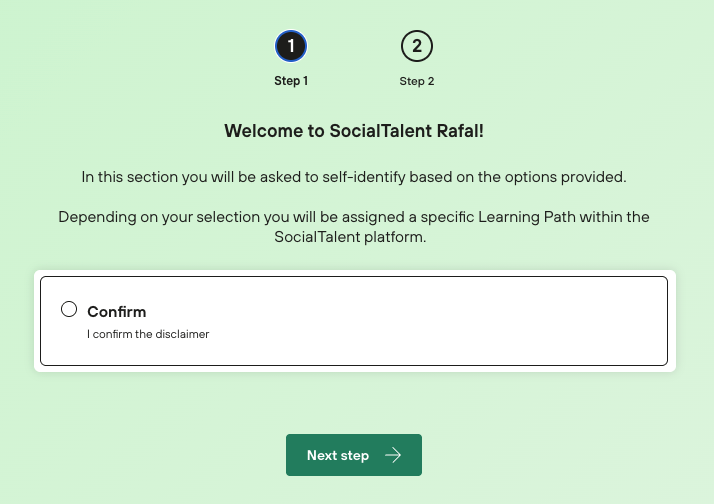
On first login, you will see a short questionnaire.
-
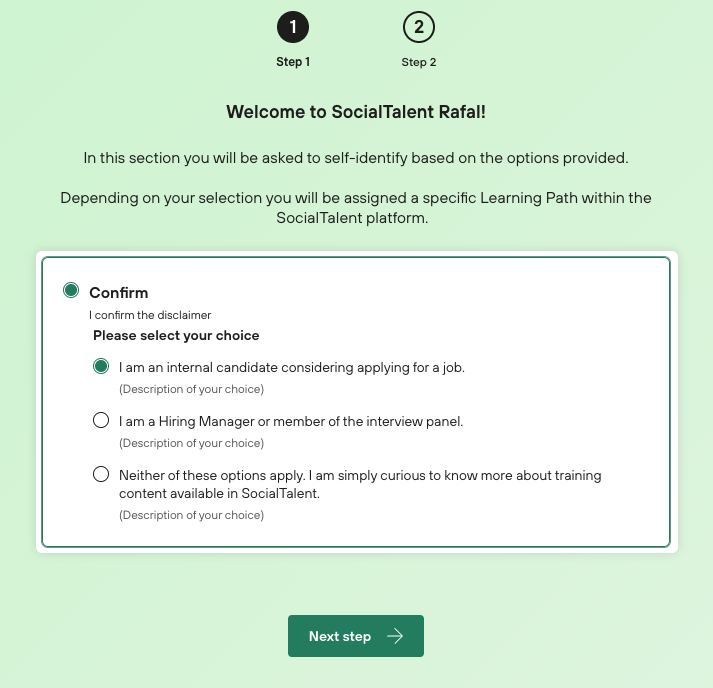
The first question asks you to select the team you belong to.
-
When you click on a team, you may see subcategories or divisions that help refine your choice.
-
-
Automatic Learning Path Assignment
-
Once you choose your team (or sub-team), you are automatically assigned to the correct learning path or program.
-
-
Optional Region Selection
-
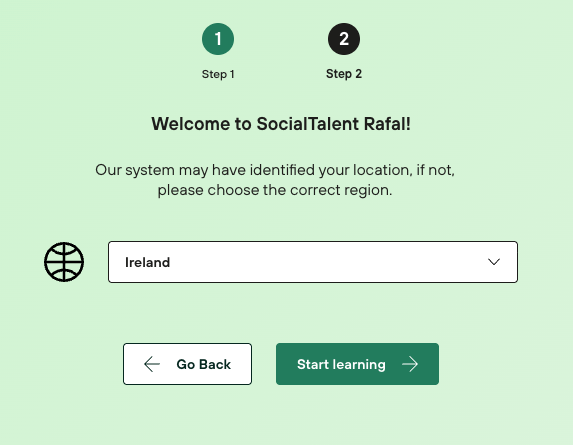
Some companies may add an optional region question.
-
If present, choose your region to receive more tailored learning assignments.
-
If not, you’ll be taken directly to the platform.
-
-
Start Learning
-
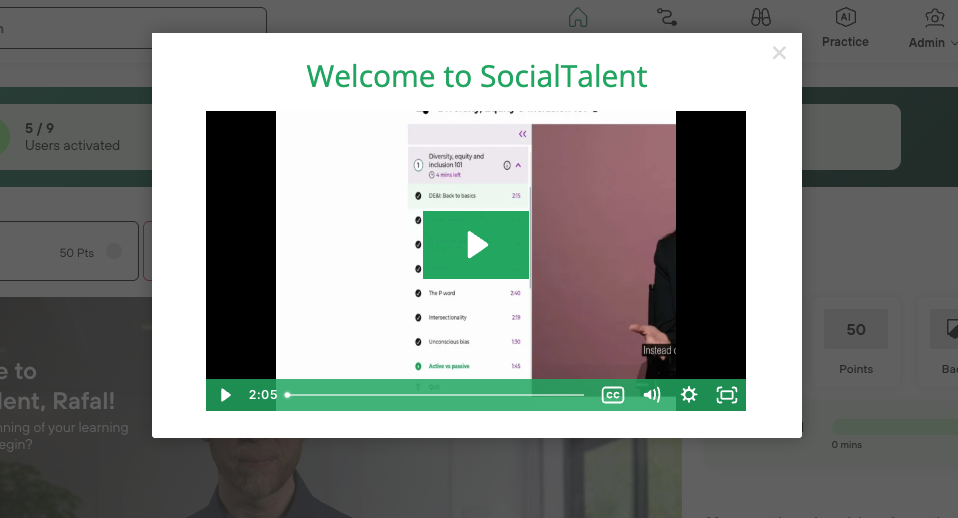
After completing the questionnaire, you are redirected to the platform, ready to begin your learning journey.
-
Self-registration streamlines the onboarding process by allowing users to self-identify their team and region, while administrators can ensure that everyone lands in the right learning path from the start.