
Common issues and how to resolve them
This article helps you resolve common issues when using the Interview Intelligence app in Zoom.
Zoom is not connected
Issue
You cannot access Zoom features, or the app does not load correctly. Please note that only admins can remove and re-add the connection. If you think the connection is not working properly, the interviewer should reach out to company administrator or the IT team to do further troubleshooting.
Resolution
-
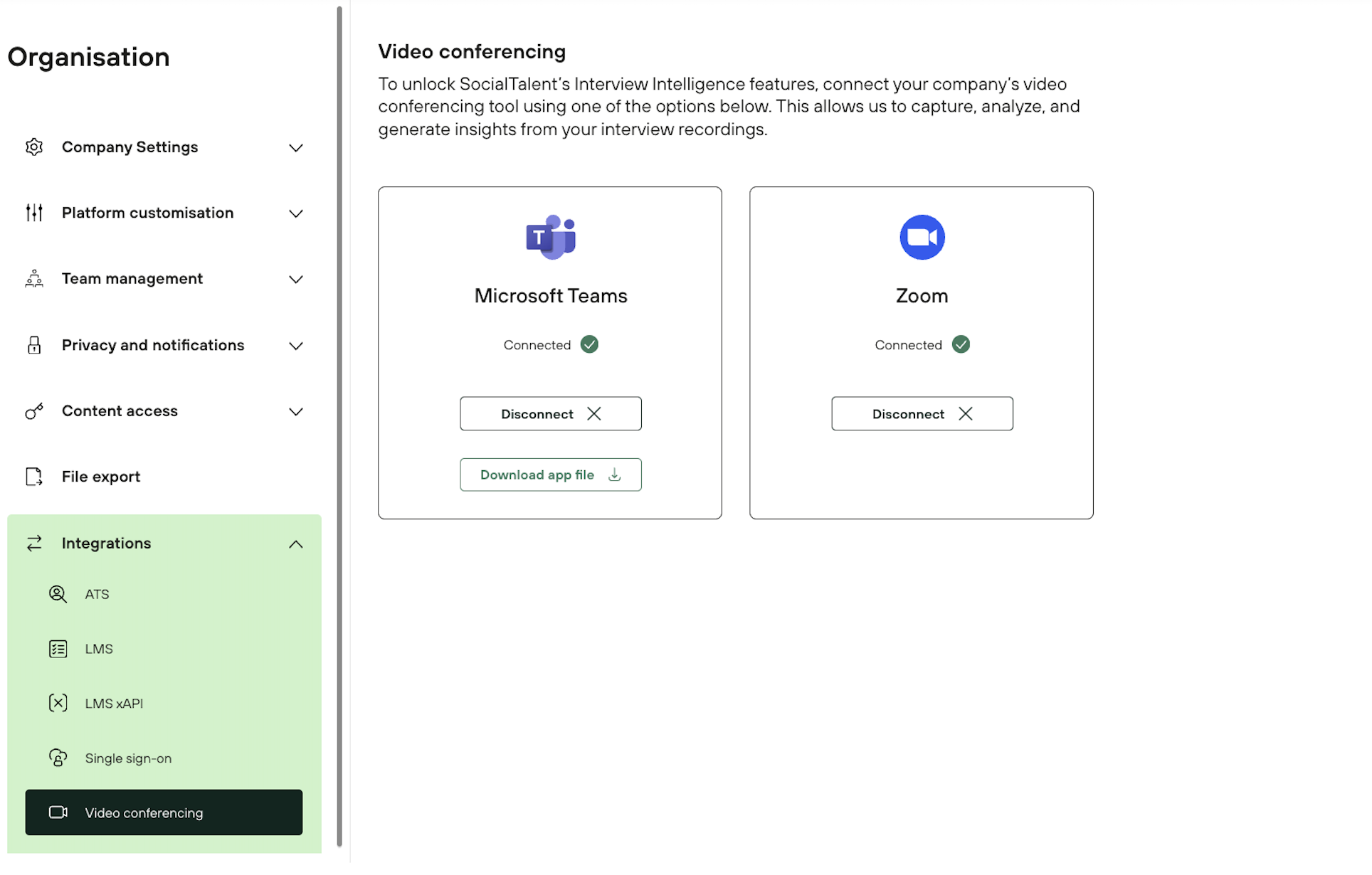
Go to Admin → Organisation → Integrations → Video conferencing
-
Check if Zoom is connected
-
If not, click Connect and complete the setup
Interview Intelligence app is not visible in Zoom
Issue
The app does not appear in the Zoom meeting.
Resolution
-
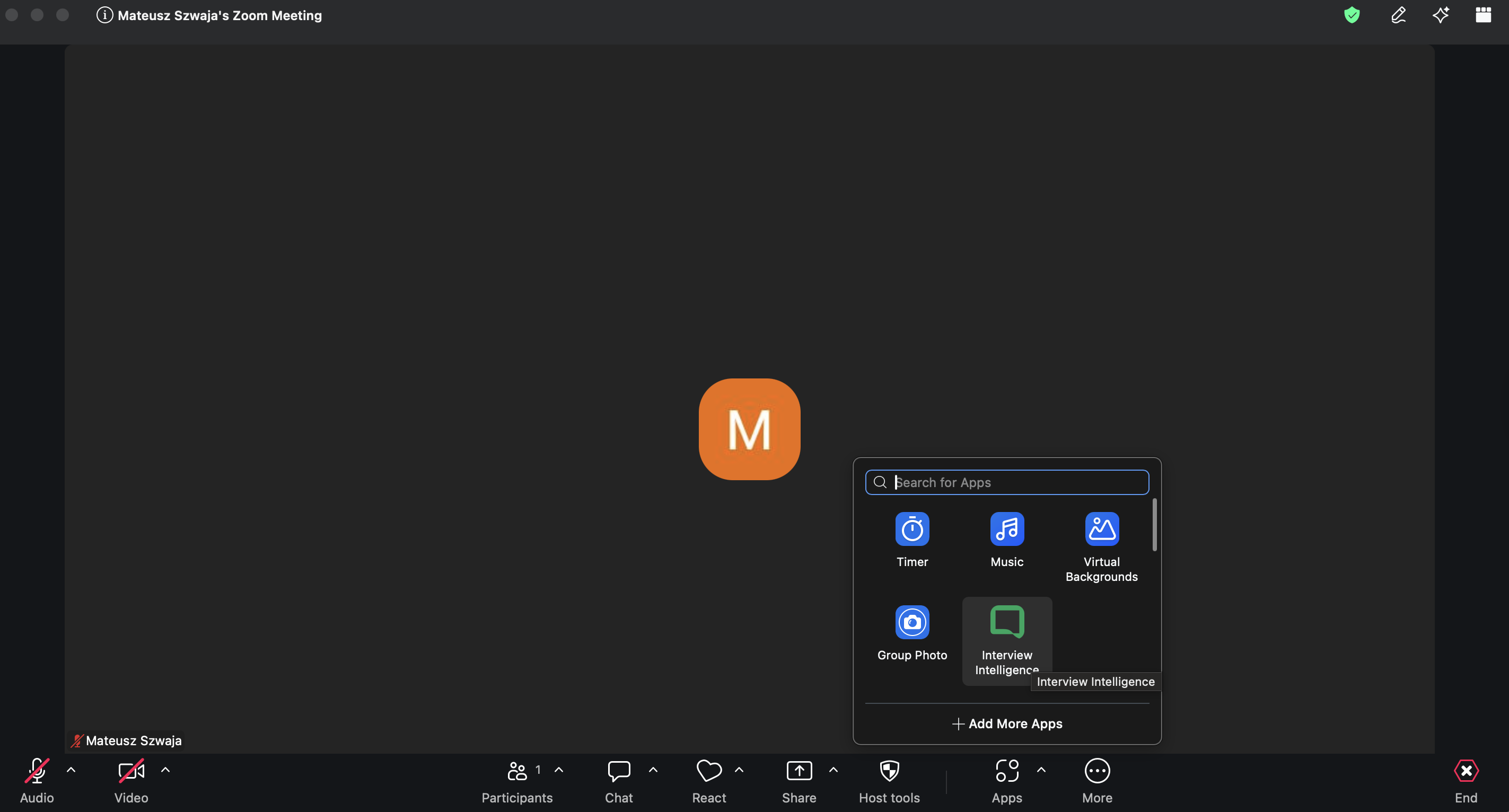
Open the Apps panel in Zoom
-
Search for Interview Intelligence
-
Add the app to the meeting
Role, Candidate or Round not available
Issue
The setup screen is incomplete or empty.
Resolution
-
Make sure you are logged in to the correct account.
-
Make sure your Roles, Candidates and Round are created → Your First Interview: Step-by-Step Guide
-
All permissions are met for the Interview Intelligence App.
-
If everything above is created, and the roles are not visible, please create a new Zoom meeting room.
-
You can restart your device and check if the problem persists.
-
Contact support@socialtalent.com for investigation.
Recording bot (Recall) does not join
Issue
The Recall bot (notes) does not join the meeting automatically.
Resolution
-
Confirm the Zoom app is correctly added to the meeting
-
Restart the Zoom meeting
-
Ensure Zoom integration is connected
-
Consent is given to the candidate.
Recording stops unexpectedly
Issue
Recording stops during the interview.
Resolution
-
Check if No was selected in the consent step
-
Reconfirm candidate consent
-
Restart recording if required
-
Restart the meeting and Zoom app.
Unable to log in to the app
Issue
The login prompt appears, or the login fails.
Resolution
-
Enter your email and password
-
If already logged in, try logging out and back in
-
Restart the Zoom app if prompted
-
Contact your internal IT department for further investigation.
Changes or notes are not saved
Issue
Notes or scores do not appear after entry.
Resolution
-
Ensure you are connected to the internet
-
Refresh the app
-
Reopen the interview plan
Still need help?
If the issue persists:
-
Reconnect the Zoom integration
-
Restart the Zoom meeting
-
Remove the Interview Intelligence App and add again to Zoom
-
Check if emails are matching (SocialTalent and Zoom should have the same email addresses)
-
Contact support with details of the issue
Include:
-
Screenshots of the errors and issues
-
Time of the issue
-
Steps of troubleshooting taken
This will help resolve the issue faster.