
Follow the step-by-step guide below to set up the integration between Greenhouse (ATS) and SocialTalent:
1. Access Admin Settings
-
Log in to the SocialTalent platform.
-
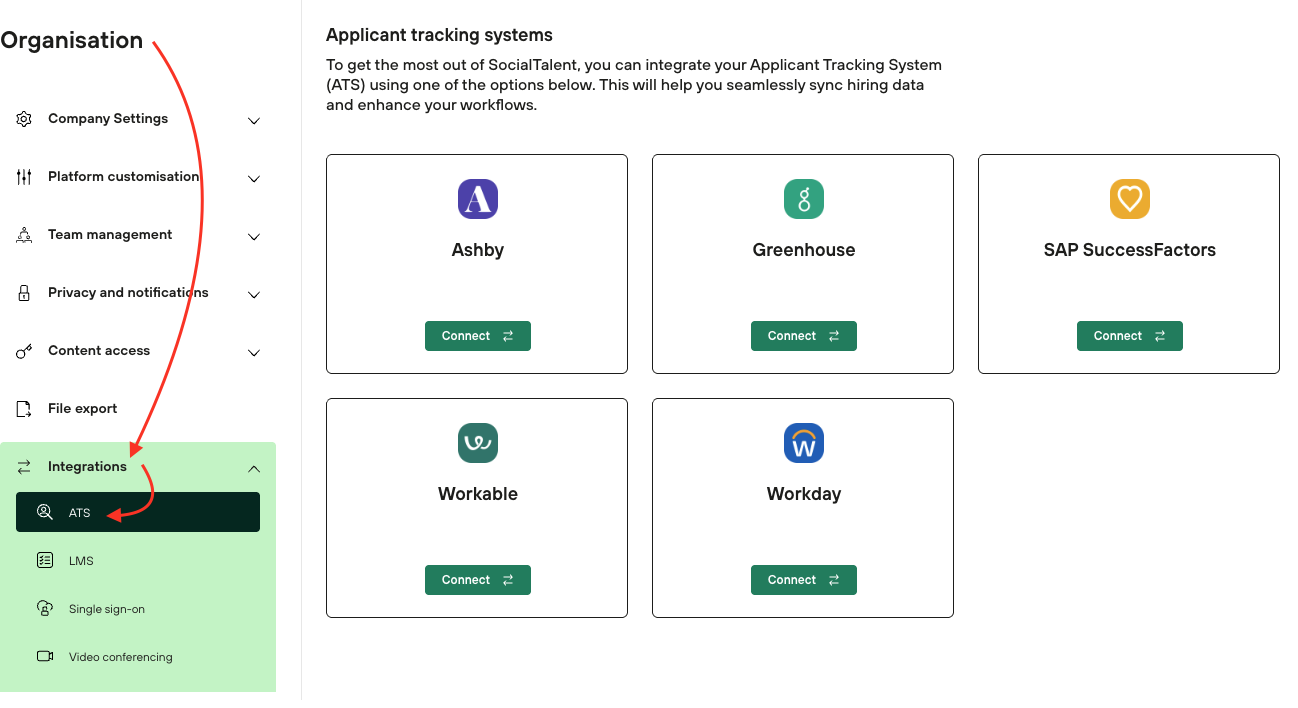
Navigate to the Admin → Organisation → Integrations → ATS
-
Click on Greenhouse.
-
Note: If the “Integrations” option is not visible, please contact your SocialTalent Customer Success Manager for assistance.
-
2. Connect Greenhouse
-
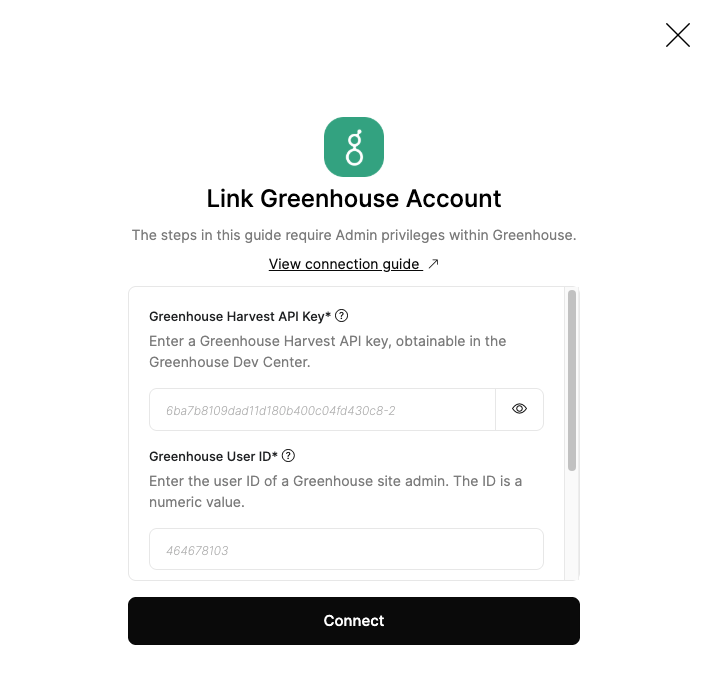
Enter the required information in the provided fields.
-
Click Connect.
3. Retrieve Credentials from Ashby
To obtain the necessary credentials, follow the steps outlined in the Greenhouse guide: Greenhouse Connection Guide.
Once the integration is successfully set up, SocialTalent and Greenhouse (ATS) will seamlessly work together to provide a unified learning experience.